Kids LED Roller Skate Shoes User Manu
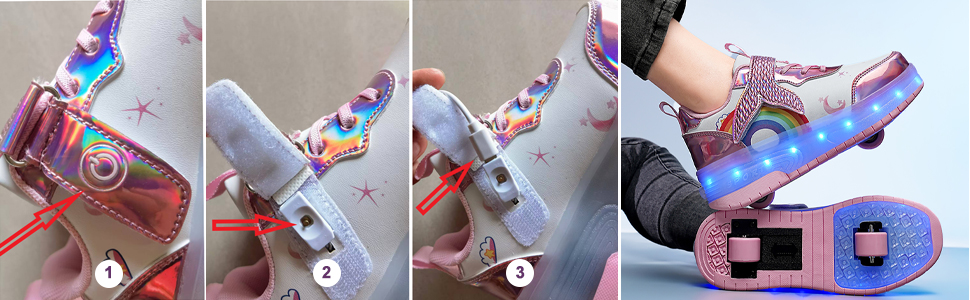
 Children’s LED Light-Up Skate Shoes – Quick Guide
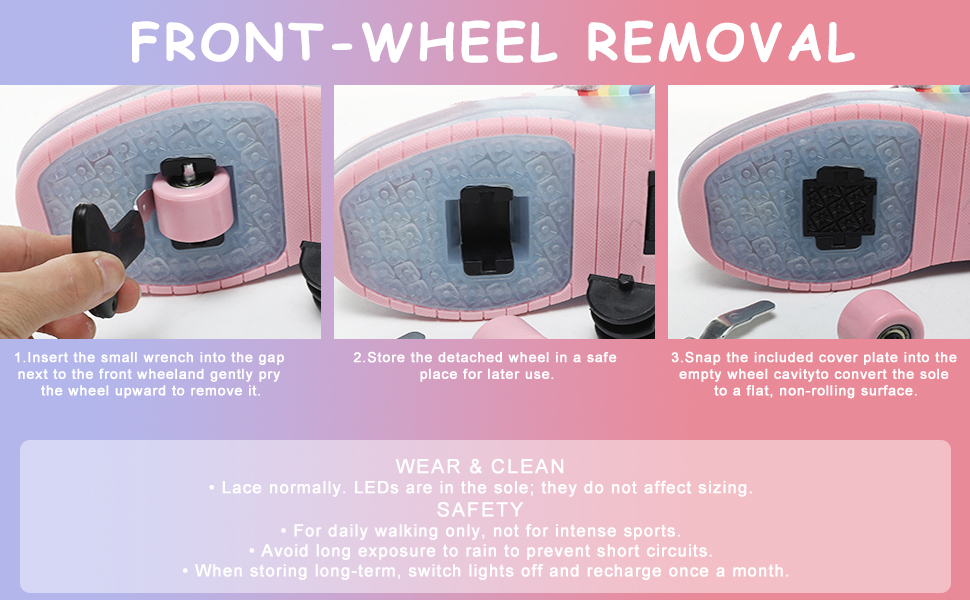
1. Installing & Removing Front Wheels
- Install: Align wheel with the slot and press firmly until it clicks into place.
- Remove: Use the included wrench to remove the wheel, put on the lid afterward.
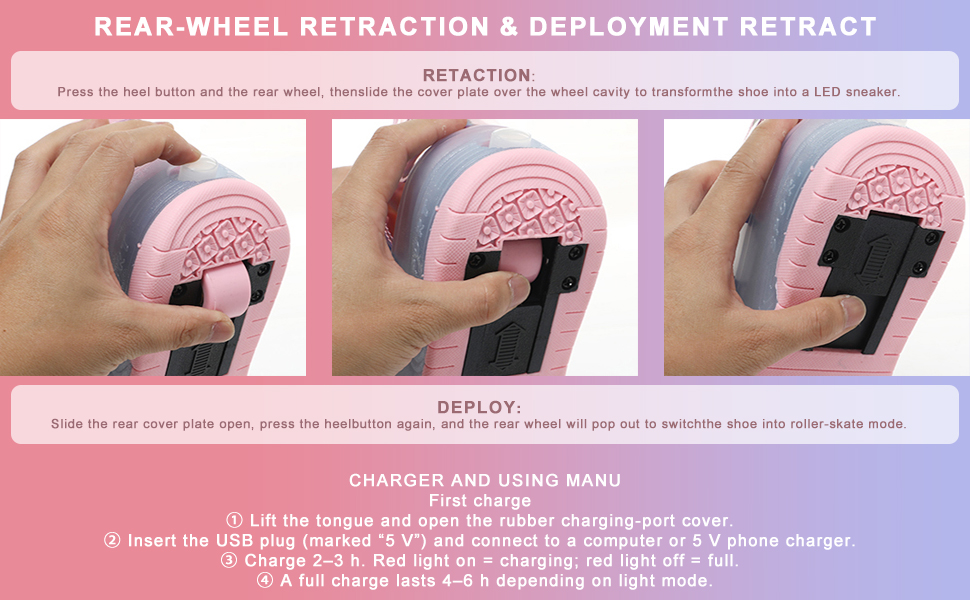
2. Opening & Retracting Rear Wheels
- Open: Push open the heel lid, then press the button of heel to pop out the rear wheels
- Retract: Press the heel button and the wheels simultaneously. Slide the heel cover closed until it locks.
3. Power & Lights - Charging:
- Lift the velcro strap and find charging-port cover.
- Insert the USB plug (marked “5 V”) and connect to a computer or 5 V phone charger.
- Charge 2–3 h. Red light on = charging; red light off = full.
- A full charge lasts 4–6 h depending on light mode.
4. First charge
- Lift the tongue and open the rubber charging-port cover.
- Insert the USB plug (marked “5 V”) and connect to a computer or 5 V phone charger.
- Charge 2–3 h. Red light on = charging; red light off = full.
- A full charge lasts 4–6 h depending on light mode.
5. Switch & light modes
- Press the hidden button on the side of the tongue to turn on/off.
- Short-press repeatedly to cycle: quick flash → slow flash → steady rainbow → off.
6. Safety
- For daily walking only, not for intense sports.
- Avoid long exposure to rain to prevent short circuits.
- When storing long-term, switch lights off and recharge once a month.
Children’s LED Light-Up Skate Shoes – Quick Guide